

Most users use our desktop app. This guide helps you setup OpenWork via the CLI so that you can run OpenWork tasks in the background on your infra. If you want OpenWork-hosted shared workspaces, org-managed skill hubs, or shared providers for a team, use the Cloud docs instead of self-hosting this flow. If you’re an enterprise looking to self-host, please book a call hereDocumentation Index
Fetch the complete documentation index at: https://differentai-fix-roadmap-cleanup.mintlify.app/llms.txt
Use this file to discover all available pages before exploring further.
Step 1: Install on your remote server
Install the npm package:Step 2: Start OpenWork in your workspace
Run OpenWork where your code lives: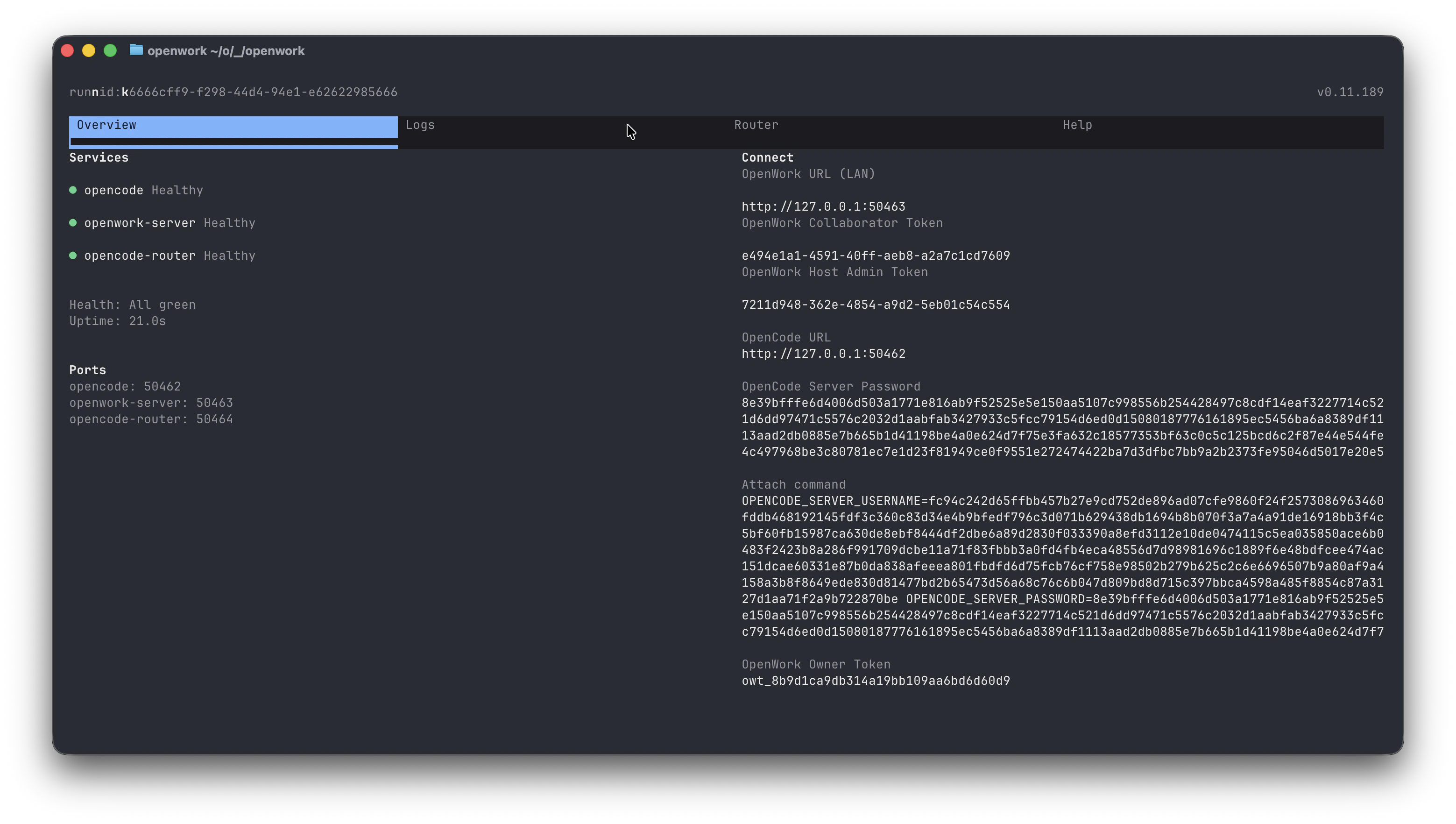
OpenWork URLOpenWork Owner Token
Step 3: Connect the OpenWork desktop app
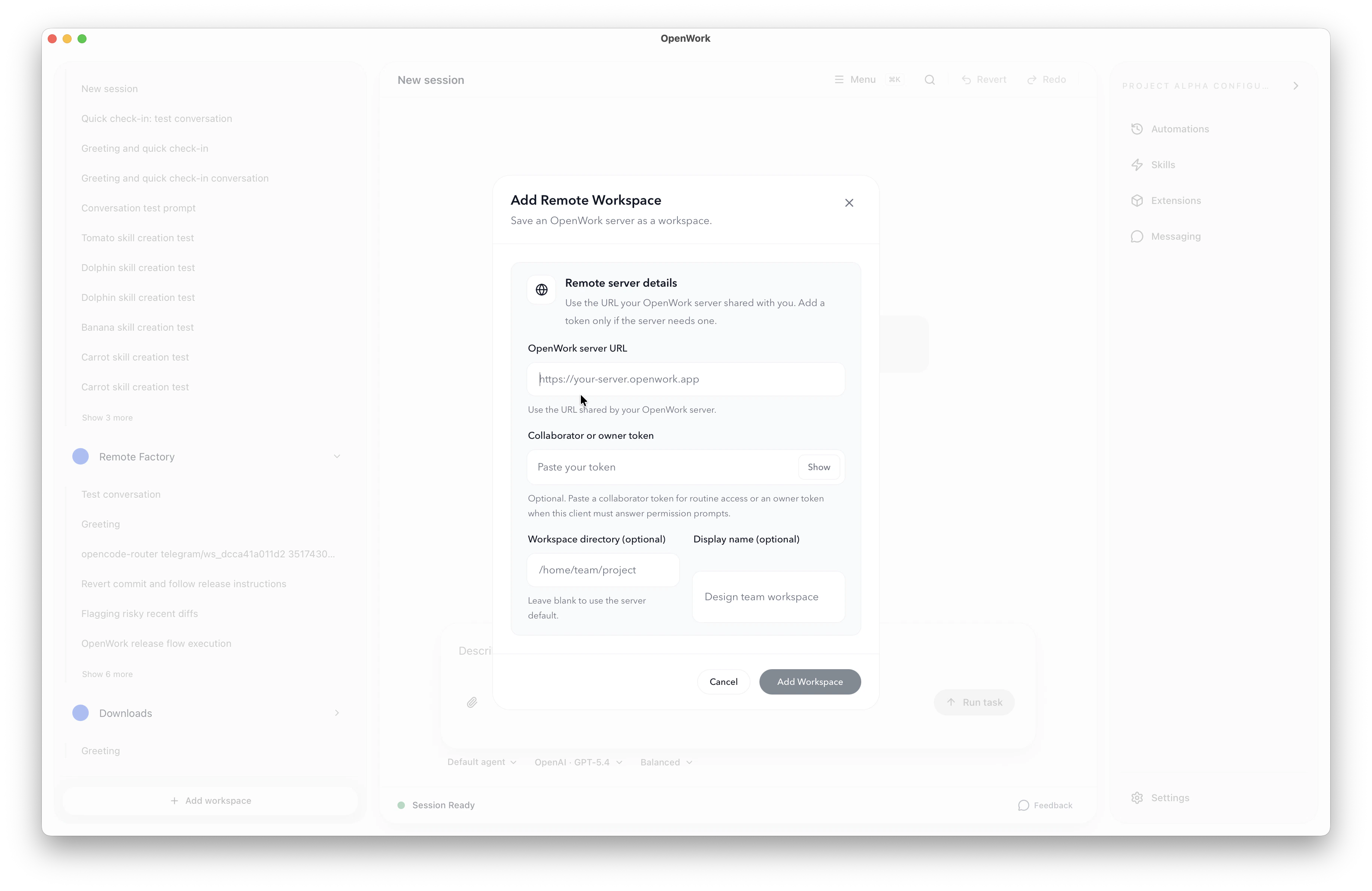
On your local machine, open the OpenWork desktop app and connect into a remote workspace with:- On the bottom left click
+ Add workspace - Then click
+ Connect Remote workspace - Type in the
OpenWork URL and OpenWork Owner Tokenfrom earlier
What this gives you right away
- Your code and services stay on the remote machine.
- Your local machine stays light.
- You get a fast path from install to a connected remote OpenWork workspace.